Admin UI Quickstart
Get started with the LLM Proxy Admin UI in minutes.
Prerequisites
- LLM Proxy server running (see Installation Guide)
- Management token set via
MANAGEMENT_TOKENenvironment variable
Step 1: Access the Admin UI
Integrated Mode (Default)
The Admin UI is built into the proxy server. Access it at:
http://localhost:8080/admin/
Standalone Mode (Docker Compose)
If running the admin as a separate service:
docker compose up admin
Access at http://localhost:8081/
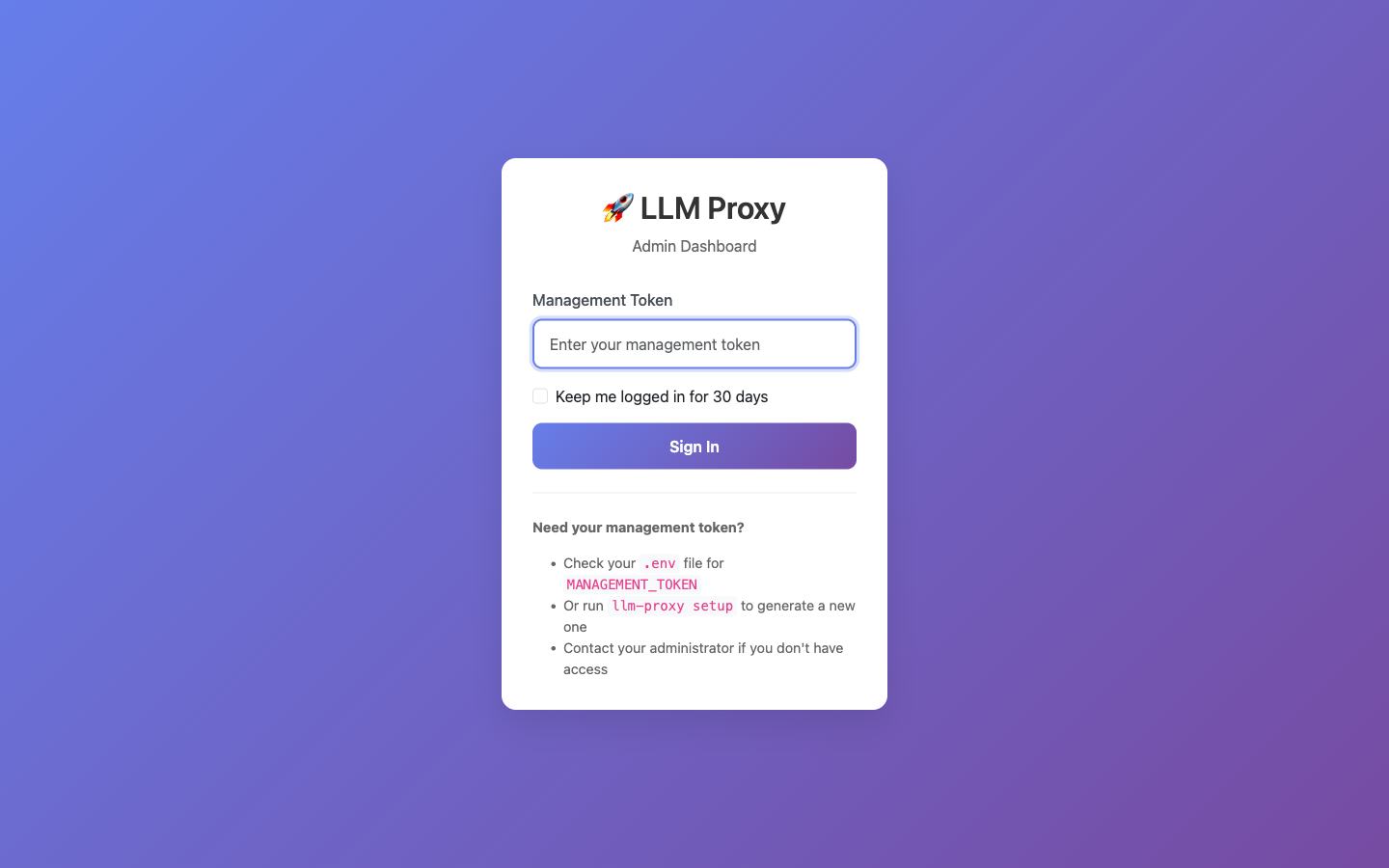
Step 2: Log In
- Open the Admin UI URL in your browser
- Enter your management token
- Click Login
Step 3: Create a Project
- Click Projects in the sidebar
- Click New Project
- Enter:
- Name: A descriptive name (e.g., “My App”)
- OpenAI API Key: Your OpenAI API key (sk-…)
- Click Create

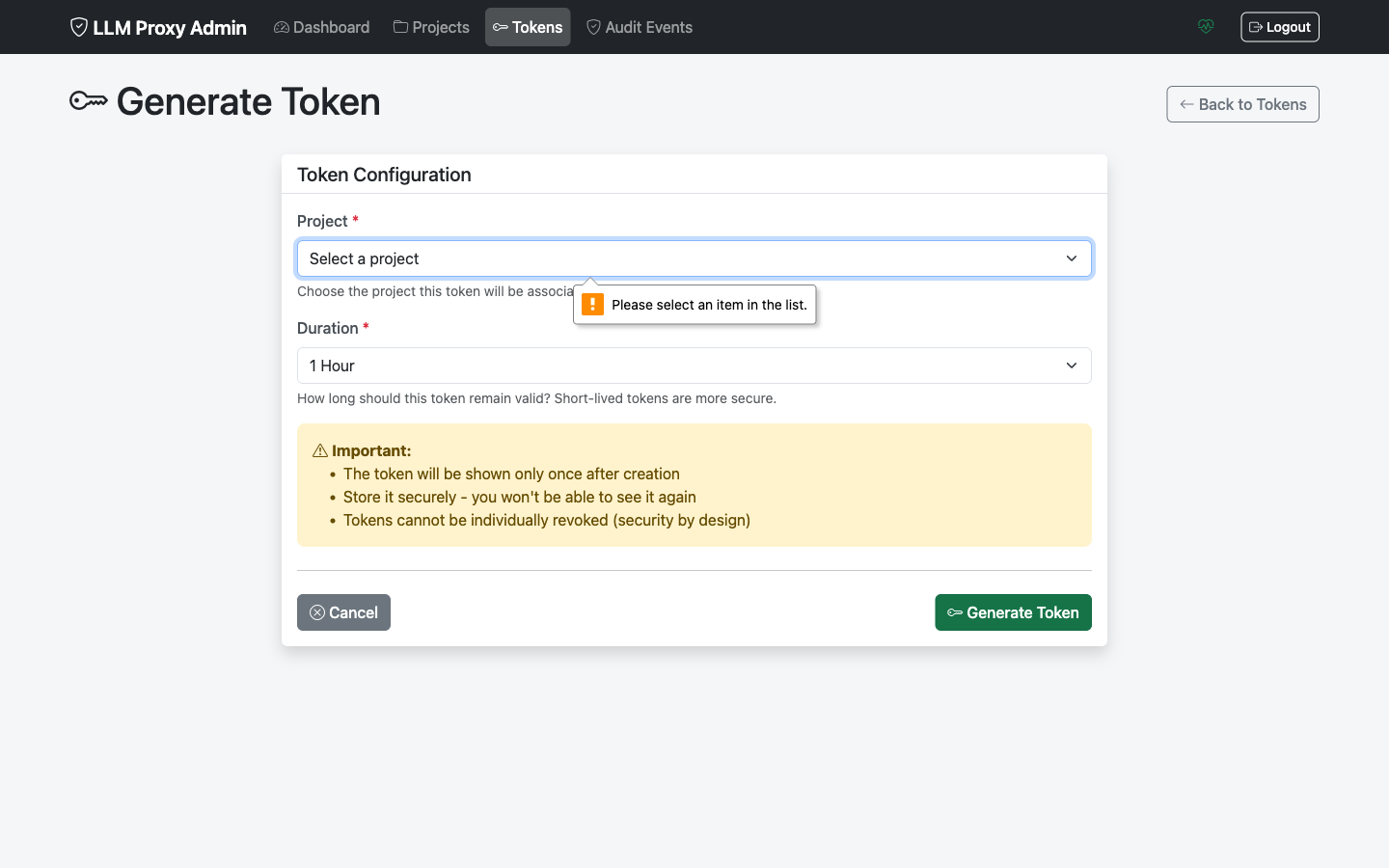
Step 4: Generate a Token
- Go to your new project’s detail page
- Click Generate Token
- Configure:
- Duration: How long the token should be valid (hours)
- Max Requests: Optional request limit
- Click Generate
- Copy the token (shown only once!)
Step 5: Use the Token
Test your token with a curl request:
curl -X POST http://localhost:8080/v1/chat/completions \
  -H "Authorization: Bearer <your-generated-token>" \
  -H "Content-Type: application/json" \
  -d '{
    "model": "gpt-4",
    "messages": [{"role": "user", "content": "Hello!"}]
  }'
What’s Next?
- Project Management - Learn all project features
- Token Management - Master token lifecycle
- Screenshots - Visual tour of all screens
Quick Reference
Key URLs
| Service | URL |
|---|---|
| Proxy API | http://localhost:8080 |
| Admin UI (integrated) | http://localhost:8080/admin/ |
| Admin UI (standalone) | http://localhost:8081/ |
| Health Check | http://localhost:8080/health |
Common Actions
| Action | Location |
|---|---|
| View all projects | Sidebar → Projects |
| Create project | Projects → New Project |
| Generate token | Project Details → Generate Token |
| Revoke token | Tokens → Token Row → Revoke |
| View audit logs | Sidebar → Audit |
Troubleshooting
Cannot Access Admin UI
- Verify proxy is running:
curl http://localhost:8080/health - Check
ADMIN_UI_ENABLED=truein environment - Ensure correct URL and port
Login Fails
- Verify management token is correct
- Check for extra whitespace in token
- Try clearing browser cache
Token Not Working
- Check token was copied completely
- Verify token hasn’t expired
- Confirm project is active
See Troubleshooting Guide for more issues.